WordPress site with a 500 error: why I rebuilt rather than repaired
In early September, while running my weekly check of my hosting, I noticed that 7days.dev was returning an HTTP 500 error on every page. WordPress’s message was explicit, “Error establishing a database connection”. When I checked the configuration, I found that the site’s database no longer existed. No usable backup, nothing to restore.

It is a situation I come across regularly with the SME owners who contact me: a WordPress site goes down, and there is only one question on their mind, “how much to fix it?”. Here is how I handled the case on my own site, what I chose, what I ruled out, and what the measurements show.
The finding: an outage that cannot be repaired
On 2 September, my check left no room for doubt: HTTP 500 on 7days.dev, still a 500 two days later. The site shared a shared-hosting plan with a dozen other sites, some of which took more than 20 seconds to respond that day.
A WordPress site is two things: files, and a database that holds all the content. Here, the files were there but the database was not. “Repairing” therefore meant reinstalling an empty WordPress and re-entering everything. At that cost, the real question becomes: is WordPress still the right tool for this site?
The decision: what I chose, and what I ruled out
7days.dev is our division dedicated to business process automation. It is made up of presentation pages and articles. No basket, no customer area, no complex forms. Before deciding, I compared the options on that specific criterion.
- Rebuilding a WordPress site: ruled out. The same database to host and back up, the same plugin updates, the same risk tomorrow.
- A third-party hosted “headless” CMS (such as Sanity): ruled out. The content would live with an outside provider, and I want to stay in control of my data.
- Next.js: ruled out. Excellent for an application, oversized for a site with no dynamic needs.
- Astro, as a static site: chosen. It is the go-to tool for content sites in 2026. It produces ready-made HTML pages, with no database and no code executed on each visit.
I accepted the trade-off from the outset: no more WordPress admin interface. The content is edited as text files. For me that is not a problem, since my automation and AI tools write directly to those files. For a client who wants to edit their own pages every week, it is a real factor to weigh up.
What I put in place
- Content in Markdown in a Git repository. Each page is a versioned text file. The full history is kept, and the site can be rebuilt identically in a few minutes.
- An automatic build on every push. When I push a change, the site is recompiled in an isolated container, then the new version replaces the old one in one go, with no visible intermediate state.
- A server that only serves files. No code is executed on a visit, so there is simply nothing to hack on the server side. HTTPS certificates renew themselves.
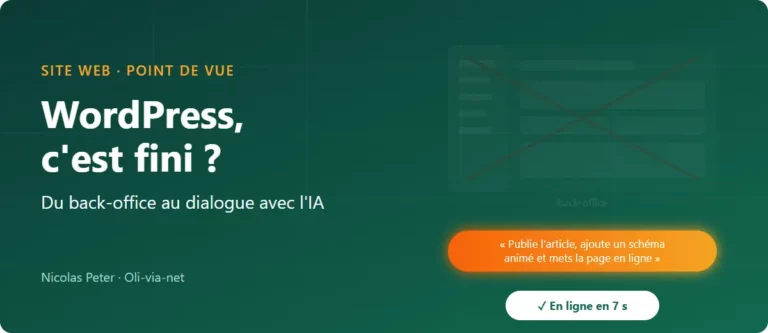
- An automatic publishing chain. An article dropped in by one of my workflows goes live with no intervention. Measured on 16 September: pushed at 11:02:59, live at 11:03:06, in other words 7 seconds.
- Animated vector visuals. Instead of stock photos, 16 animated SVG diagrams drawn in code, lightweight and sharp on every screen.
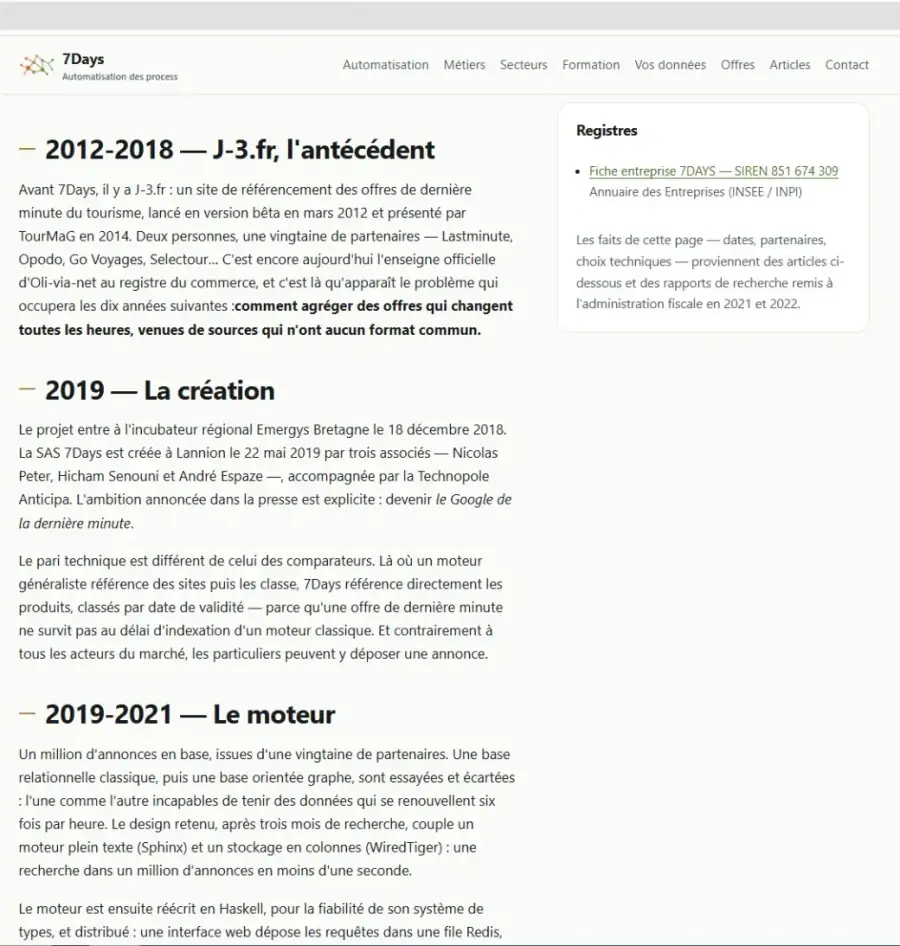
The content, however, is anything but automatic. I reread every page on screen during the rebuild, and every fact stated (date, partner, technical choice) must be backed by a source, an official register or a press article. If I do not have the source, the sentence does not go online.
The measured results
| Measurement | Before | After |
|---|---|---|
| Site status | HTTP 500 (2 and 4 September) | HTTP 200 |
| Home page response | — | 0.13 s (12 and 29 September) |
| Time to first byte (TTFB) | — | 63 ms |
| Page fully loaded | — | 158 ms |
| Transferred size, home page | — | 40 KB |
| Google impressions (first 8 days) | — | 521, from 11 to 153 a day |
| Publishing an article | manual | 7 s, automatic |
Before the public launch, I had a bot go through all 105 pages of the site: zero JavaScript errors, zero overflow on a 390-pixel phone screen, and a 10 KB compressed stylesheet.
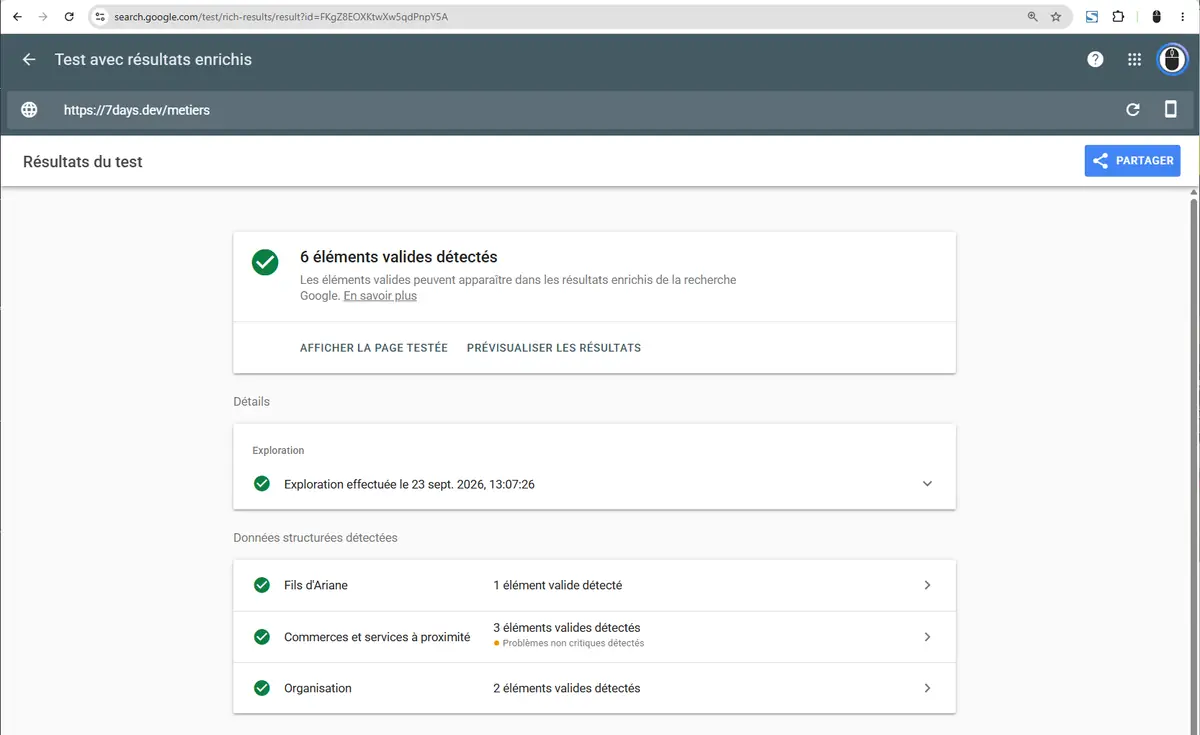
On the SEO side, I validated the structured data in Google’s official tool before expecting any traffic at all. Breadcrumbs, organisation and services are all recognised without errors.
First signals in Search Console
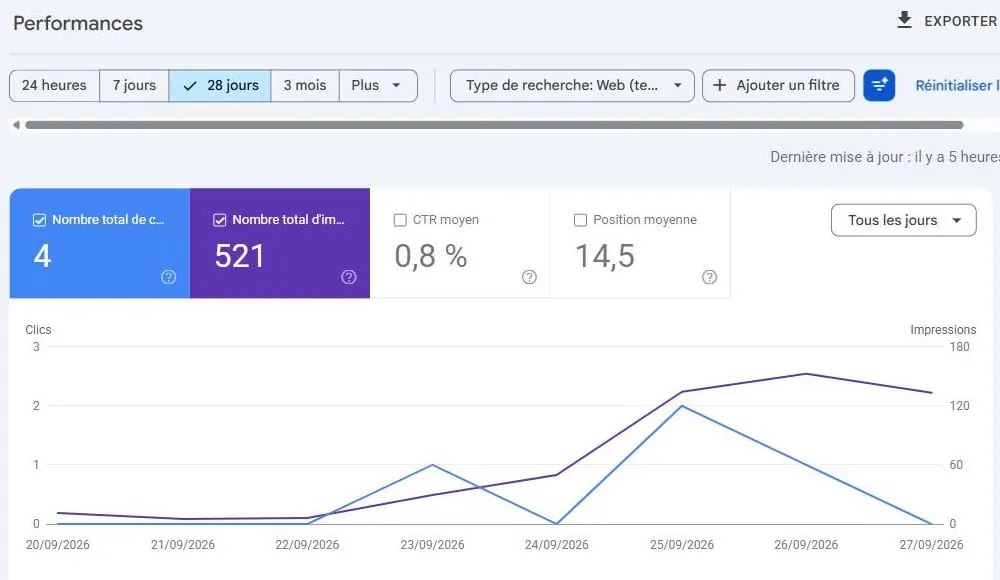
The first impressions appeared on 20 September. Eight days later, Search Console counted 521 impressions and 4 clicks, at an average position of 14.5. Above all, the curve is rising fast: 11 impressions on 20 September, 153 on the 26th.
What interests me most are the queries. Apart from the brand “7days” (position 6), they are very specific searches, made by business owners who already have a problem in mind: “automatisation des relances clients” (automating customer reminders), “automatisation des notes de frais” (automating expense reports), “saisie automatique des factures” (automatic invoice entry), “devis automatisé” (automated quotes). The pages that capture the most impressions are those about chasing unpaid invoices (42), entering supplier invoices (34) and recurring invoicing (21). That is exactly the site’s target audience.
Eight days is a start, not a trend. I will review it again at one month and then at three months, with the same indicators.
Do WordPress and the back office still make sense in the age of AI?
That is the real question this project raised for me. For years, the back office was the only way for a non-developer to edit their website. Today, a well-equipped AI assistant can write a page, fix a typo or publish an article from a single sentence, directly in the files or through the site’s API. For a content site whose changes go through me and my tools, the admin interface becomes optional.
That does not make WordPress an outdated solution. The article you are reading is published on oli-via-net.fr, which runs on WordPress, and it was placed there by those same tools, through the API. The two approaches coexist very well. In my view, WordPress and its back office remain the right choice whenever you need:
- to sell online: catalogue, stock, payments and orders with WooCommerce;
- specific features: booking, members’ area, advanced forms, industry-specific plugins;
- autonomy on the client side: several people publishing, with roles and approval;
- an ecosystem: thousands of plugins and providers able to take over the site.
A static site, for its part, really comes into its own for a showcase or editorial site whose content changes a few times a month, where speed and security come first and publishing can be automated. And in every case, a database without a tested backup is an outage waiting to happen. It is the first thing I check during an audit.
Is your website down or slow, or are you unsure whether to develop it or rebuild it? I will look at your situation and tell you frankly what makes sense, WordPress included.
Free SEO & Digital Marketing Audit
Get a personalised analysis of your website in under 48 hours.
100% free, no commitment. Our aim is to show you how to generate more qualified traffic, more leads and more sales.