Is WordPress over?
I loved WordPress, I really did. I knew it in its very early days, when it was used to create simple blogs, without ready-made themes. WordPress solved a major problem back then: thanks to its back office, people who could not code were finally able to publish on the web easily.
For twenty years, the formula worked wonderfully. Even today, around 40% of websites run on WordPress according to W3Techs, a share that has started to decline. But watching the dazzling progress of artificial intelligence and modern architectures, my conclusion is clear: WordPress will gradually lose its position as leader. We have reached a point where the very concept of a CMS is outdated.
Is WordPress really dead?
No, not today. WordPress remains the most widely used system in the world and millions of sites continue to thrive on it. What is coming to an end is the model it embodies, that of a website you manage by hand from a dashboard. For a new showcase website, AI and a static site now do better, faster and for less.
What is a CMS, and why is it outdated?
A CMS like WordPress is a system that brings together in a single block the front end (the part the visitor sees), the back office (the admin dashboard), the MySQL database (where texts, pages and settings are stored) and PHP (the language that, on the server, builds each page from that data).
On every visit, the server queries the database, runs PHP code, loads the plugins and assembles the page on the fly. For a long time, this heaviness was the price to pay for offering a simple interface to non-developers. It no longer has any reason to exist now that artificial intelligence can work directly on the site’s files.
Why the back office is no longer needed
The back office was invented in the 2000s for a simple reason. It allowed someone who could not program to edit their website without touching the code, by filling in forms that the CMS then turned into pages.
That need has gone. Artificial intelligence now understands a request made in everyday language and translates it directly into file changes. No more need for forms, menus or a dashboard to publish an article, correct a text or add a page. You just ask, in a sentence like this one.
“Publish a new article, add a page to my website, adjust the offer’s prices by 10%, generate an animated vector diagram to illustrate the process and put the page online.”
The AI prepares the changes, generates the elements and puts everything online in a few seconds. This is especially true for a showcase website, whose content changes a few times a month and which has no payments or customer area to manage. There are still exceptions, such as an online shop or a site fed every day by a large team, but for the vast majority of business websites, the back office has become an unnecessary step.
7days.dev, my laboratory, proof in practice
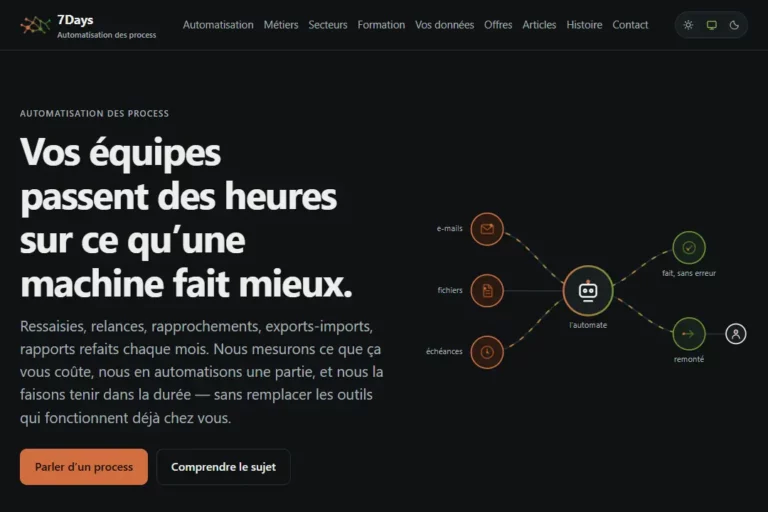
To make this claim, I rely on concrete evidence. On 7days.dev, which I use as an experimental laboratory, I chose a modern architecture. The site is built with Astro, its content lives in a Git repository, and it is served by a simple server that only distributes files. I have described how and why I rebuilt it this way after its old WordPress version broke down. The benefits in practice are beyond comparison.
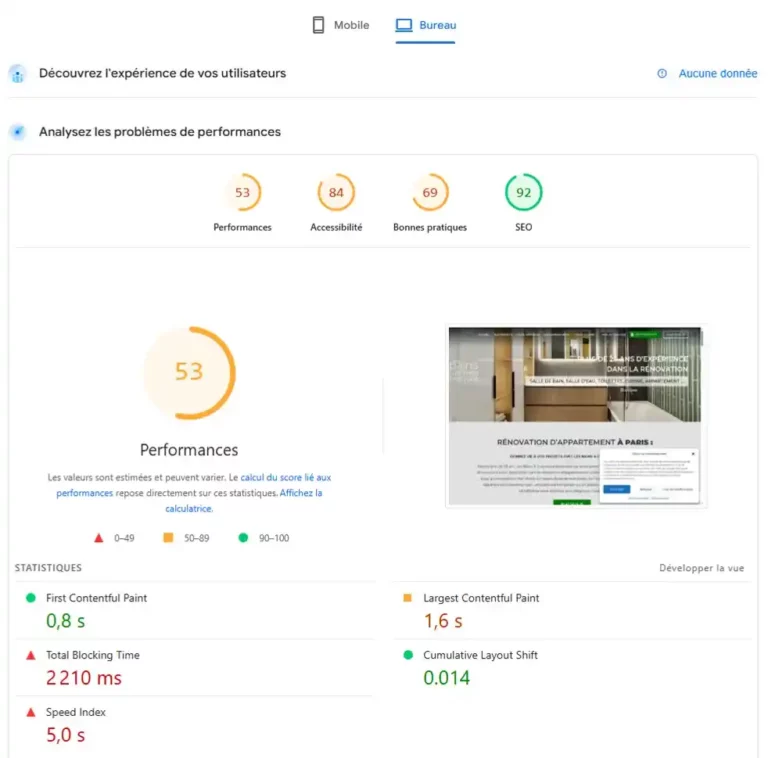
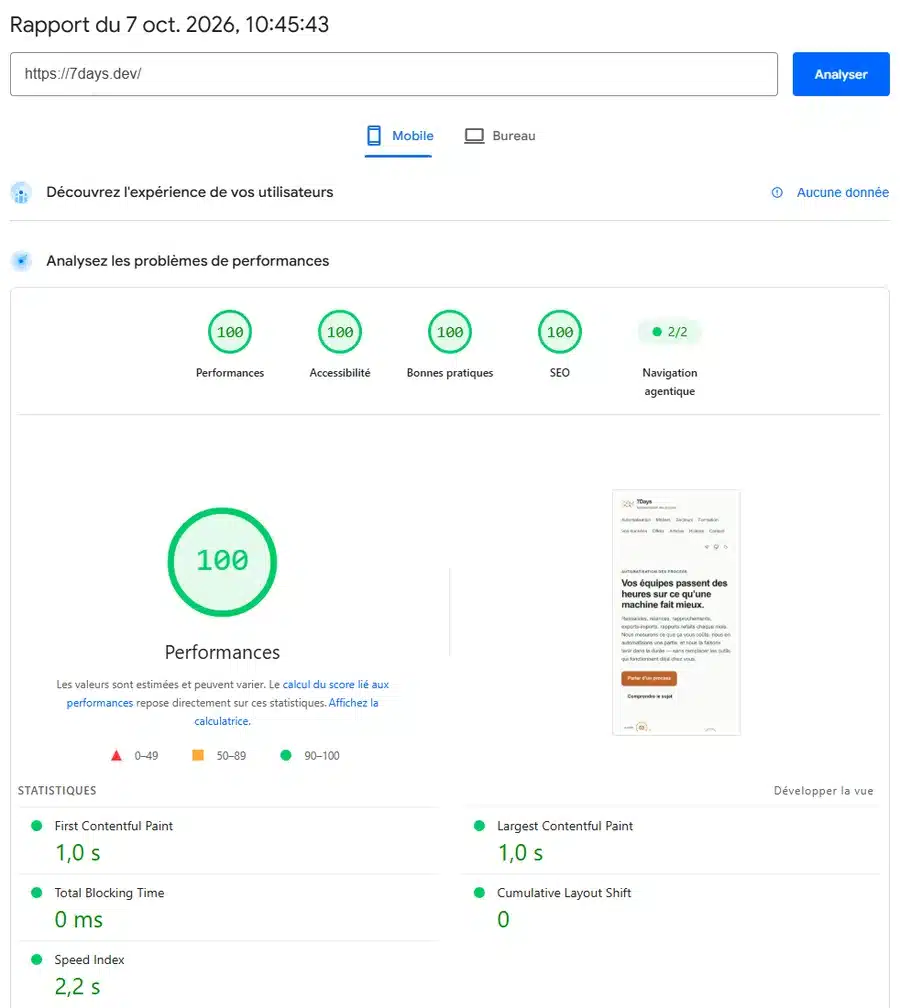
- Maximum speed, without effort. PageSpeed Insights gives 7days.dev a score of 100 in all four categories, on mobile as on desktop, with the main content displayed in one second. I did not have to install any caching system or optimisation plugin.
- An attack surface reduced to a minimum. According to Patchstack’s annual report, the WordPress ecosystem recorded 11,334 new vulnerabilities in 2025, 91% of them in plugins. On a static site, there is no accessible database and no PHP code executed on a visit, so most of these entry points disappear. The server still needs protecting, but you sleep much better.
- Vector visuals created by AI. Designing a vector diagram used to take hours in Illustrator. Today, a precise instruction, written or dictated, gets me animated, lightweight and sharp visuals, built directly into the code. The ones in this article were created that way.
Let me be clear, I do not hand my website over to AI. It publishes nothing without my approval, and I control every piece of data that goes online. Figures, dates and references are checked at the source before appearing on a page, and every change is recorded in the Git history, which lets me know who changed what and roll back at any time. The AI executes, I decide.
What it gives me is time, an enormous amount of time. Tasks that used to take me hours, such as laying out a page, producing a diagram or adapting content, now take a few minutes. I devote that time to what really gives my work its value: thinking, creativity, field experience and supporting my clients.
From SEO to GEO with the G.A.I.A method
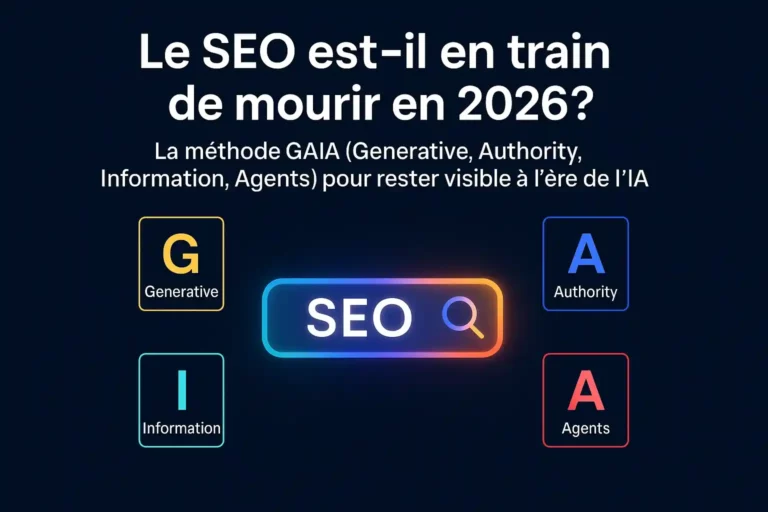
For a very long time, I achieved my best SEO results with WordPress. But the web is entering a new era, that of GEO (Generative Engine Optimization), where generative engines and conversational agents are redefining how people search for information. It was to respond to this shift that, back in 2025, I formalised the G.A.I.A method, for Generative, Authority, Information and Agents.
The A for Agents is particularly fundamental. Tomorrow, searches will no longer be made mostly by humans clicking from link to link. A user will ask their personal agent to find them a renovation company, book a train ticket or buy a handbag. Robots will go and consult websites created and fed by other robots.
Google is starting to measure this. Since May 2026, Lighthouse, the Chrome audit tool behind PageSpeed Insights, has offered an agentic browsing category. It is still experimental and relies on standards that are still being drafted, but it already checks that an AI agent can read a page and use it. 7days.dev passes both checks that apply to it. In this ecosystem where AI talks to AI, a website must be clean, ultra-fast, semantically flawless and immediately readable by machines. The technical heaviness of a traditional CMS becomes a competitive disadvantage.
WordPress or Astro, the technical and financial balance sheet
Getting excellent performance from WordPress is possible, I have done it on many sites, but sometimes at the cost of considerable effort and constant maintenance. To optimise a WordPress site, you generally need to
- install and configure a caching plugin, some of which are paid, such as WP Rocket;
- pay for an image optimisation service, such as Imagify, or convert all your media to WebP or SVG yourself;
- defer the loading of heavy scripts, such as Google Tag Manager, Google Analytics or ad pixels;
- minify and clean up the CSS and JavaScript, self-host the fonts, and so on.
All these steps take time and technical skills, and often generate recurring subscriptions for plugins. With Astro, most of this optimisation is built in. The framework produces pure HTML and CSS, ready to be served.
On the hosting side, the cost becomes almost negligible. I use a virtual private server (VPS) I already had, since it also runs my automations and backs up my infrastructure, so 7days.dev costs me nothing extra. For someone starting from scratch, a VPS of this kind costs less than 10 euros a month with a host such as Hetzner, and services such as Cloudflare Pages, Netlify or Vercel even host a modest static site for free. Compared with a WordPress site, its premium plugins and its maintenance, the difference is considerable.
| WordPress | AI-driven static site | |
|---|---|---|
| Building the page | On every visit, by PHP and the database | Just once, at publication |
| Editing content | Back office and forms | A request to the AI in everyday language |
| Performance | Excellent, with caching and optimisations to configure | Excellent from the start |
| Security | Core, theme and plugins to keep updated constantly | No code executed on a visit, a server to maintain |
| Change history | Content revisions | Full Git history, content, code and design |
| Hosting cost | PHP hosting, often premium plugins | VPS at under €10 a month, or even free |
| Shop, members’ area | Mature ecosystem, led by WooCommerce | To be built or handed to an outside service |
| Autonomy without AI | High, everyone knows the interface | Lower, you need AI or a developer |
Can WordPress make the shift to AI?
The site you are reading runs on WordPress, and yet I hardly manage it from its back office any more. Thanks to the MCP protocol (Model Context Protocol), which lets an AI connect to a piece of software and act in it, I give my instructions to Claude, and it creates the pages, updates the texts, prepares the images and fills in their fields directly in WordPress. This article was put online that way.
In other words, on WordPress as on Astro, I now work in the same way. I talk to the AI, it executes, I approve. The back office becomes a fallback interface. What loses its purpose, then, is the CMS as a dashboard, not necessarily WordPress.
WordPress has clearly understood this. Since version 6.9, its core has included an Abilities API, which describes what the site can do so that AI agents can discover and use it, and its dedicated AI team is developing an official MCP adapter. Tomorrow, WordPress could become a content engine driven by agents rather than a dashboard. The challenge is considerable, adapting a twenty-year-old foundation to the age of agents, but if it rises to it, it will stay in the race.
Should you ditch WordPress, then?
Absolutely not, and this is not about crude disparagement. Many of my clients run on WordPress today, and the aim is not to tear everything down or launch systematic rebuilds. A website that works well, generates revenue and is properly maintained has no reason to be rebuilt on principle.
If oli-via-net.fr stays on WordPress, then, it is a deliberate choice. It works, it generates enquiries, and I do not carry out a rebuild for the sake of theory. The back office is also reassuring for many clients who are not yet familiar with managing a website through artificial intelligence, and WordPress retains real strengths for e-commerce or specific features.
On the other hand, when I design a new project from a blank page, offering WordPress now seems to me a default choice rather than a vision of the future. If a client is ready to take the step to a modern architecture, a foundation built on Astro and AI offers far greater performance and longevity for the era of the web that is opening up before us.
What will a website look like in 2030?
I do not claim to read the future, but the direction is already taking shape. A business owner will tell their AI assistant to find a tradesperson available on Thursday, compare three quotes and book the best one. That assistant will query companies’ websites directly, and sometimes their own agent, which will answer on availability, prices or lead times.
On the web of tomorrow, a website will have two audiences. Humans, who will come looking for trust, proof and personality. And agents, who will look for structured, up-to-date information and possible actions, booking, requesting a quote, checking stock. The standards Google is experimenting with, such as WebMCP or the llms.txt file, are designed precisely to prepare for this second audience.
The question will therefore no longer be which CMS to use, but whether an agent understands your website and can use it. A lightweight, fast site with clean code and verifiable content starts with a head start. That is exactly what I am building today, for my own sites as for my clients’.
Wondering whether your website should evolve, or whether your next project deserves a modern architecture? Fill in the form below to get a free audit.
Free SEO & Digital Marketing Audit
Get a personalised analysis of your website in under 48 hours.
100% free, no commitment. Our aim is to show you how to generate more qualified traffic, more leads and more sales.